HorseDex 2.0, built from your feedback
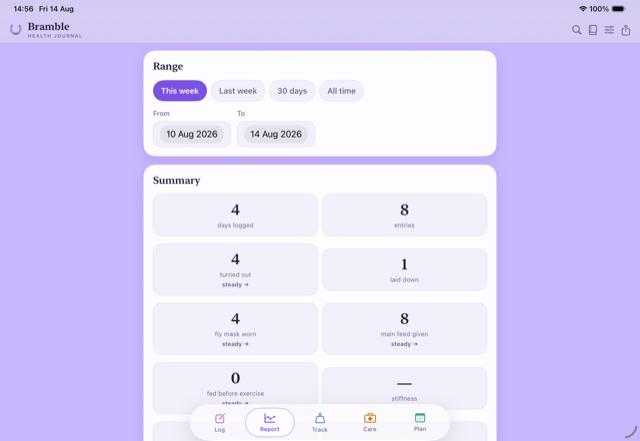
Tested as 1.5 and released on the App Store as 2.0: a Log page with your day first, bookings that repeat, a holiday cover sheet, competition results, Land for yard jobs and paddocks, and a search that understands how you ask. Since then a new horse can start from an old one's records, you can clear the rest of a month in one go, there are four widgets, Android included, and the plan can show whole days, follow the days you usually ride, keep days away with your horse free and go straight into your phone's calendar. You can also record nasal discharge, change when a dose was given and see spending for each horse.
Every update in it 16 updates
Days away, nasal discharge and spending per horse
Your calendar now keeps planned times and shows days away, and you can record nasal discharge, see spending for each horse, plan days away with your horse and change when a dose was given. Nothing you have recorded changes. iPhone 128 and Mac 129 on TestFlight, Android 130 on Google Play's internal test.
-
Calendar
Your calendar keeps the right times and shows days away. Planned sessions and bookings now sit at their morning or afternoon time instead of filling the whole day, and days away with your horse appear as all-day events. Old repeat HorseDex entries are cleared as the calendar catches up.
-
Breathing
Record nasal discharge with breathing. Breathing has a new Nasal discharge field. Tap a suggestion such as Snotty or Clear, or write it in your own words. It records what you see and nothing more.
-
Spending
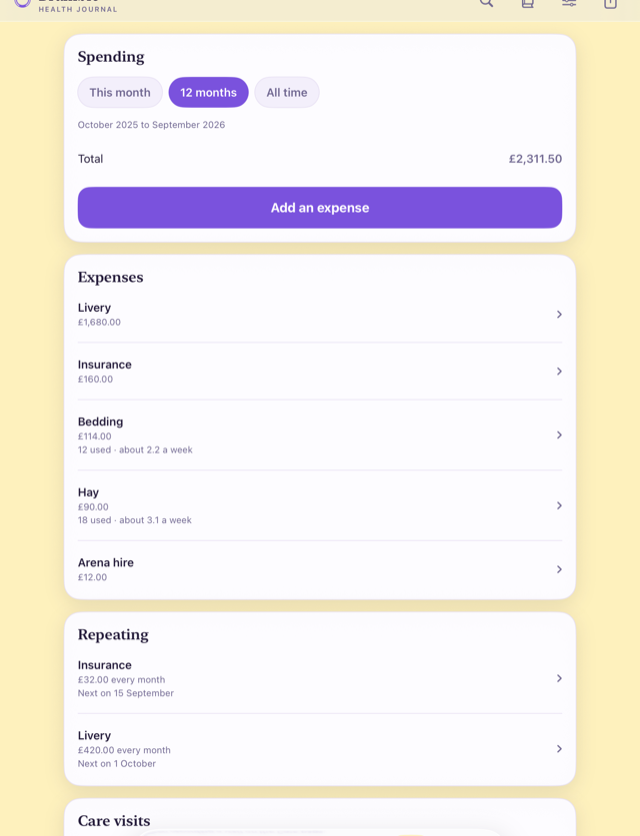
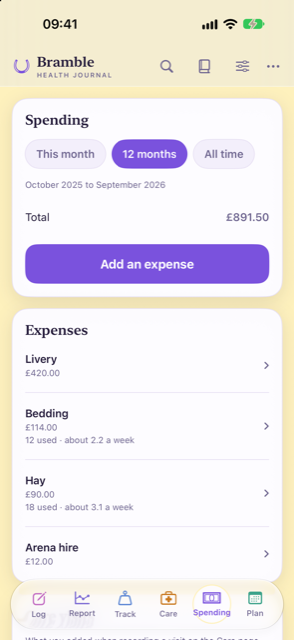
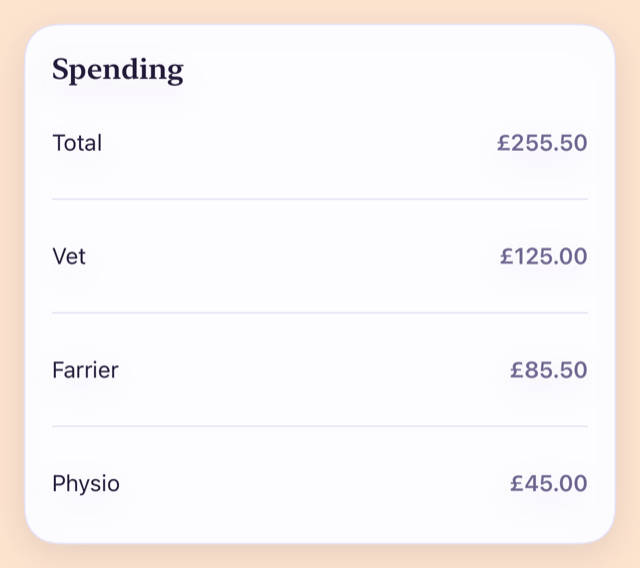
See spending for each horse, and the total. With more than one horse, Spending shows what each horse has cost and one total for all of them over the dates you pick, care visits and expenses included.
-
Plan
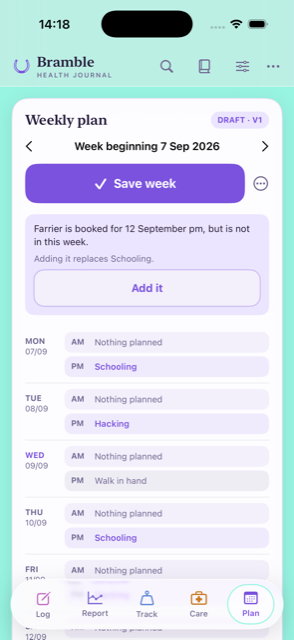
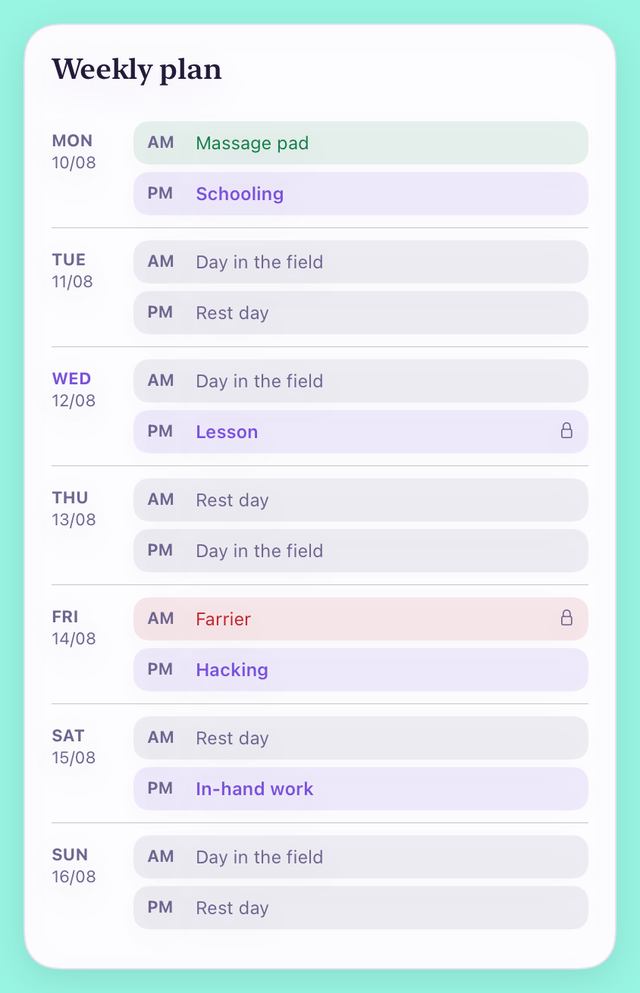
Plan days away with your horse. Set the dates of a holiday, camp or show away in Plan and tap Set away dates. Morning and afternoon on those days read Away, and no work is planned for them.
-
Care
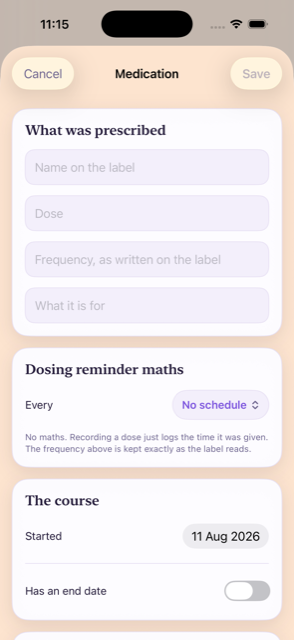
Change when a dose was given. A dose already recorded can have its date and time changed from the medicine's history, so one you forgot to log can go in at the right time. Its notes stay with it.
-
Plan
Box rest reads the same everywhere. Month view now shows Box rest on box-rest days, as Week view always did, instead of Day off.
Your plan in your phone's calendar
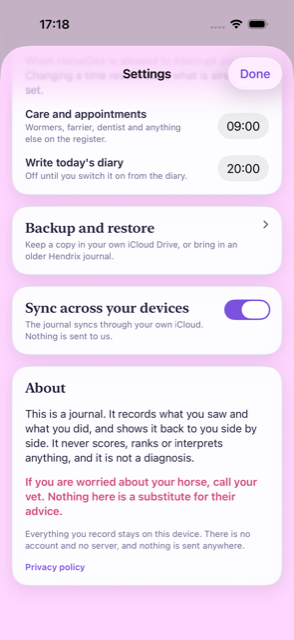
A new switch in Settings, Add plan to Calendar, puts your planned days and bookings into a HorseDex calendar on your phone and keeps it up to date. Nothing you have recorded changes. iPhone 126 on TestFlight, Android 127 on the closed test once Google has reviewed it.
-
Plan
Add plan to Calendar. Turn it on in Settings and HorseDex adds a calendar called HorseDex, with each planned day from today onwards and every booking. Change the plan and the calendar follows; turn the switch off and the HorseDex events go again. It works on iPhone and Android, and your phone asks for permission the first time.
Plan learns your usual week, and can show whole days
Suggestions in Plan now follow the days and activities you usually do, and Plan can show one row per day. Nothing you have recorded changes. iPhone 118, Mac 119, on TestFlight.
-
Plan
Suggestions follow your usual pattern. Plan now looks at the days and activities you have usually done over the last eight weeks when it suggests a week. Your own rules still come first: anything you have set wins over what it picks up from your history.
-
Plan
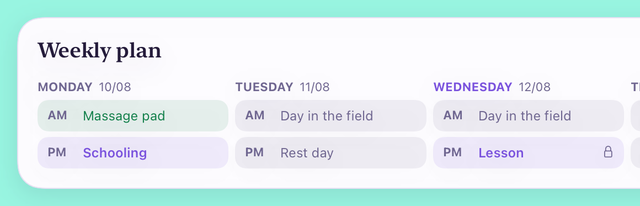
Show whole days. A new setting in Plan shows one row per day instead of one per session, with the morning and afternoon sessions kept together inside that day.
Rest days count the week before
One fix, and nothing else. A rule like no more than three days' work in a row now counts the days worked at the end of the week before, so a horse worked Friday, Saturday and Sunday is no longer offered work on Monday. Nothing you have recorded changes. iPhone 116, Mac 117, on TestFlight.
-
Plan
Days in a row now carry over the weekend. The suggested week and the month view used to start counting afresh each Monday, so a run of work that ended on Sunday was forgotten and Monday could make a fourth day. They now look back at what you logged, and at the plan where nothing was logged.
Four widgets, each in its own size
The HorseDex widget used to change what it showed only when you picked a different size, and almost nobody found that. Now each view is its own widget with its own name, on iPhone, iPad, Mac and Android. Nothing you have recorded changes. iPhone 114, Mac 115, and Android 113 on the Play test.
-
Widgets
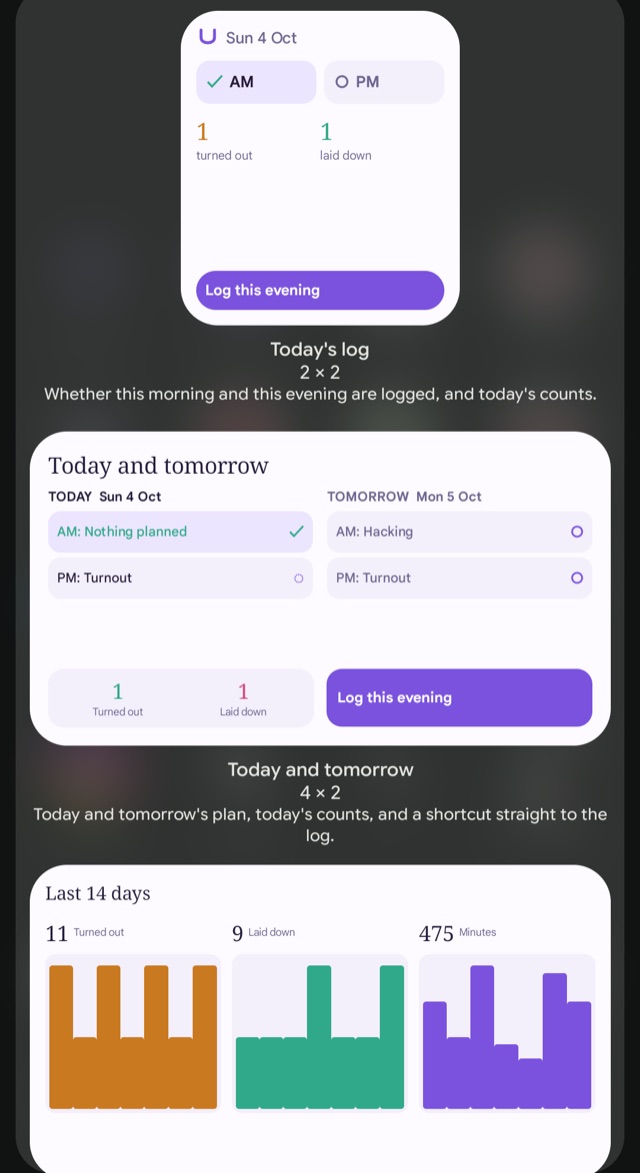
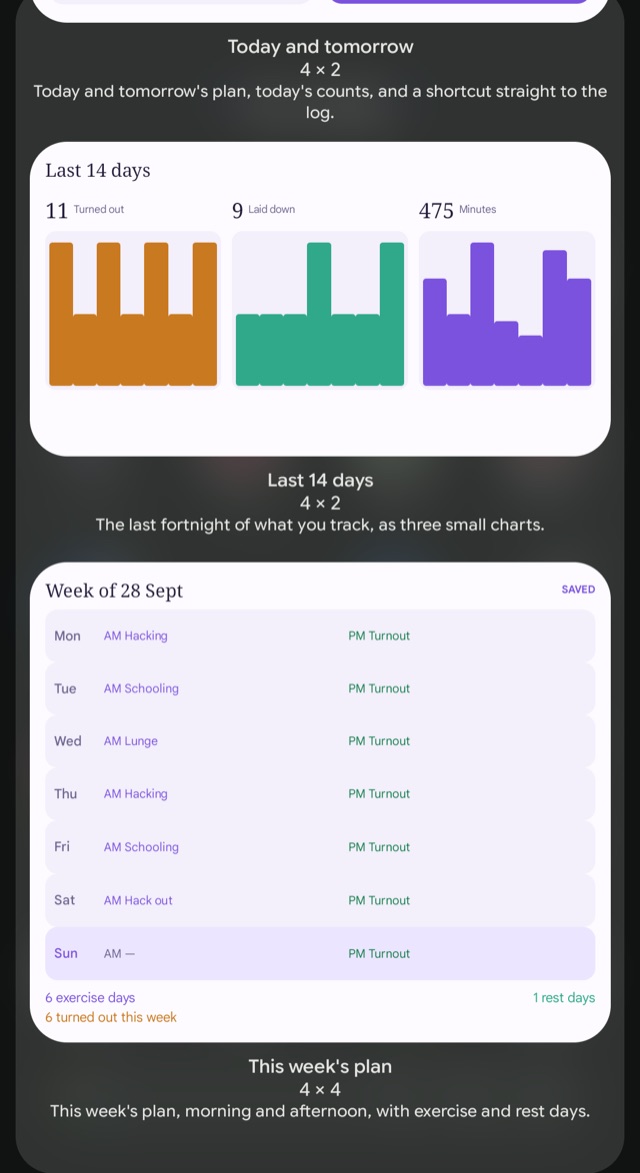
Pick the widget you want by its name. Today's log is the small one: whether this morning and this evening are logged, and today's counts. Last 14 days is three small charts. This week's plan is the large one. Today and tomorrow, which used to be called HorseDex Daily, shows both days' plans with a button straight to the log.
-
Android
Android has widgets now. The same four, on the home screen. Long-press an empty spot, choose Widgets and search HorseDex. Each one is shown as it will look before you add it.
-
Placed widgets
A medium or large HorseDex widget needs adding again. If one of yours has gone blank, remove it and add Last 14 days or This week's plan instead. The small one carries on as it was.
Start a new horse from an old one, and clear the plan
Four things testers asked for on 1 October: clearing a month or week of the plan, an episode that asks what comes off it, starting again on one horse, and a new horse that can bring what another has. Nothing you have recorded changes. iPhone 104, on TestFlight.
-
Horses
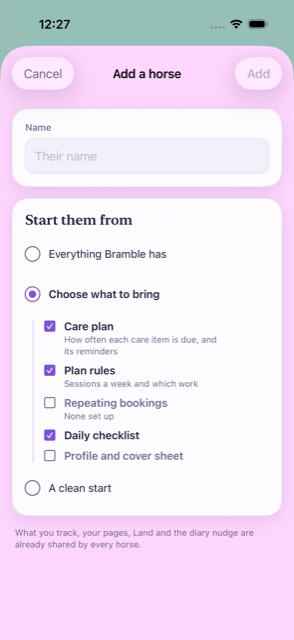
A new horse can start from what another one has. Add a horse now opens its own sheet, from the horse's name at the top of the page or from Settings. Bring everything, choose the care plan, plan rules, repeating bookings, daily checklist or profile one by one, or start clean. The horse you copy from is left exactly as it was.
-
Plan
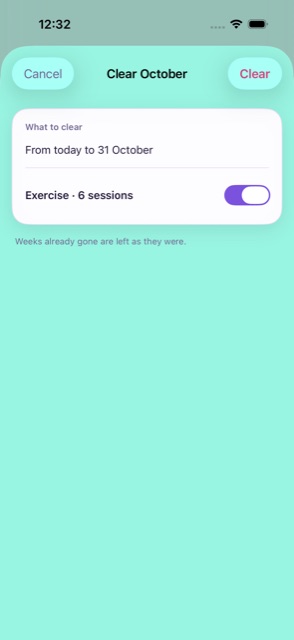
Clear a month or a week in one go. The ⋯ beside the month and beside the week now offers to clear it, from today on. Exercise and extras come off; bookings stay unless you switch appointments on, which cancels them on Care too. Days already gone are never touched, and every week keeps its history, so it can be put back.
-
Episodes
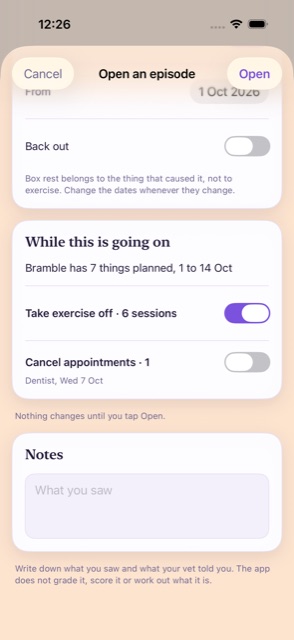
Opening an episode asks what comes off the plan. When something is planned during the box rest, or the fortnight after the start, the sheet asks whether to take exercise, extras or appointments off. Nothing changes until you tap Open, and freed days on box rest read Box rest.
-
Your data
Start again on one horse. Settings, Your data, has a Start again card: put a horse's care plan back to the defaults, keeping every visit, or clear its plans from this week on, keeping bookings. Both take a backup first and show it to you before anything changes.
2.0, and a search that understands how you ask
The build that went out on the App Store as 2.0 on 30 September: everything since 1.4, plus one search fix. Nothing you have recorded changes. iPhone 101, Mac 102 and Android 103.
-
Search
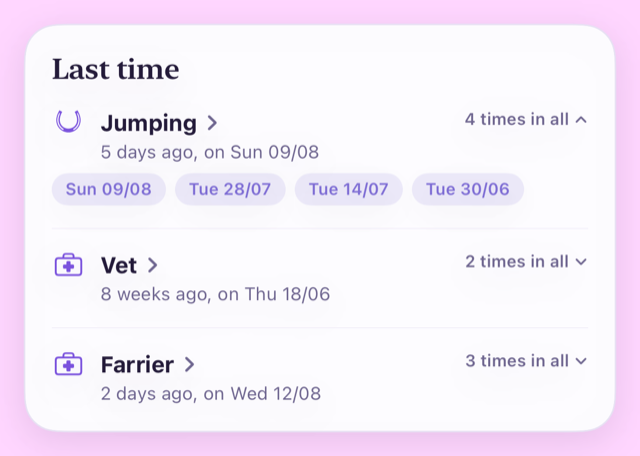
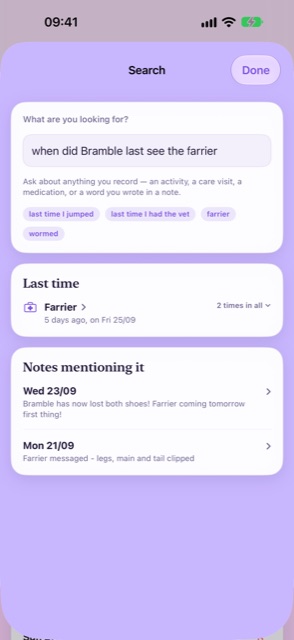
Ask about a visit however you say it. "When did Bramble last see the farrier" or "when was the vet last out" used to find nothing, because words like see, out and come are in no field's name. Search now looks past them, and still finds a field that is named with them, like Seen in.
-
New name
This is 2.0. 1.5 went out on the App Store as 2.0, and the page that shows what changed says so. If you have been testing 1.5, it shows you that page once more.
A blank month, Trends in your order, and no more Track page
Three changes testers asked for: the month stays blank until you ask for suggestions, Trends can be arranged, and weights are recorded from Log. iPhone 98, Mac 99 and Android 100.
-
Plan
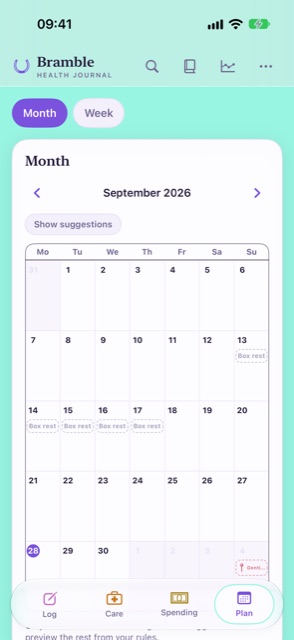
The month stays blank unless you ask. It used to fill every unplanned week with suggestions from your plan settings, even weeks already gone. Now it shows the weeks you saved, your bookings and any box rest. Tap Show suggestions to see the rest of the month filled in from this week on; nothing is saved until you save a week.
-
Trends
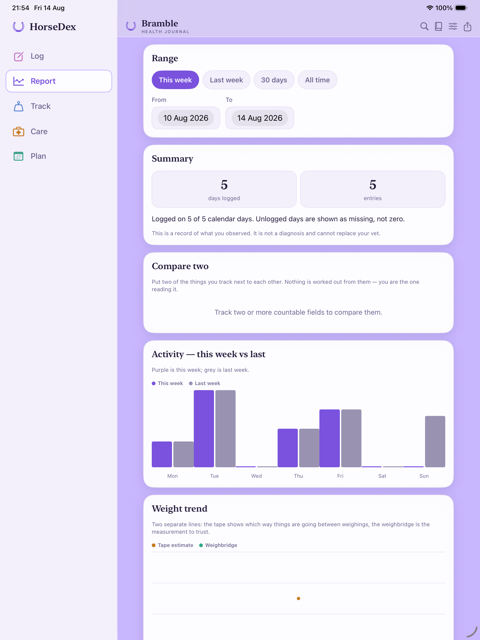
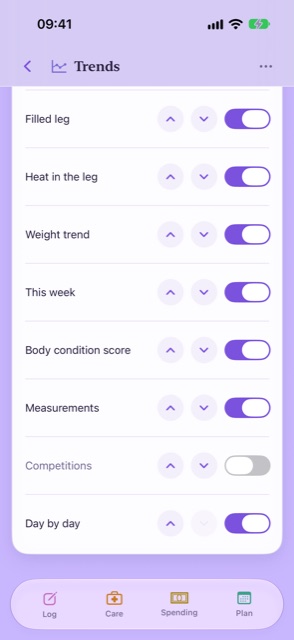
Put Trends in your own order. Tap Arrange at the top of Trends to switch off the cards you never read and move the ones you do higher up. Switching off a field's graph is the same switch as in Settings, so it still records; the order is kept on each device.
-
Log
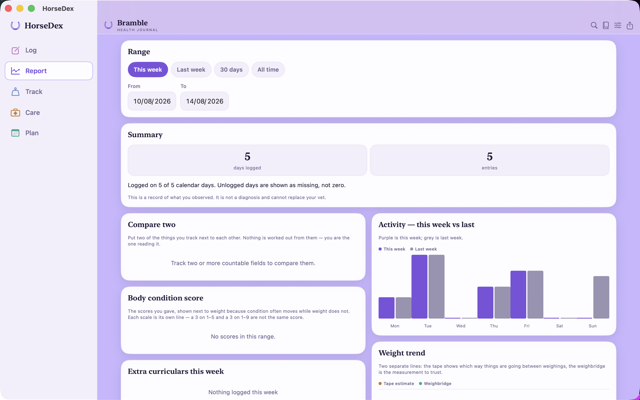
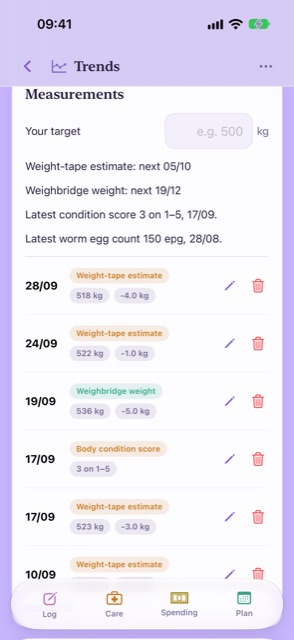
Weights are recorded from Log, and the Track page has gone. Log an entry now has + Measurement for a weight, a condition score or a worm count, and it can be saved on its own. Your target weight and every reading, with edit and delete, are on Trends in the Measurements card, and which measurements you use is in Settings, What you track. Every reading you already had is still there.
Land records you can put right
One fix, and nothing else: a Land job's records open to change or delete. iPhone 95, Mac 96 and Android 97, which also carries the extra room at the top of Android's pop-up pages.
-
Land
Change or delete a Land record. Tap a job on the Land page, then any record in its history, to change the date or note, or delete one ticked by mistake. Delete the latest and the job counts from the one before it again.
More room at the top on Android
Android only, and one change: pop-up pages start higher on the screen. Nothing you have recorded changes.
-
Android
Pop-up pages use the top of the screen. The Diary, the log form, Settings and every other page that slides up used to leave a wide empty band above the title. The title now sits near the top, so there is more of the page below it.
A month you can change
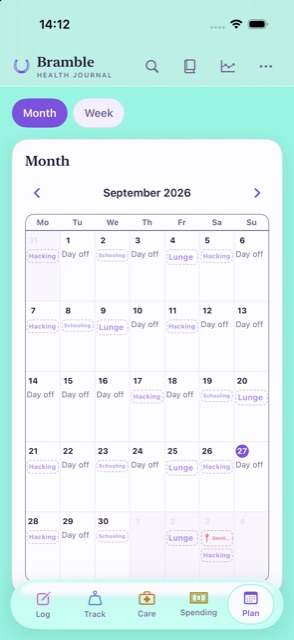
Plan's month view uses the whole page, shows the morning and the afternoon for every day, and a planned session opens straight from the month to change. Nothing you have recorded changes. iPhone 91, Mac 92 and Android 93.
-
Plan
The month fills the page. Each day is taller and shows the morning and the afternoon on their own, so a day with a hack and a lunge shows both, and the names fit instead of stopping after two letters.
-
New
Tap a session to change it. A planned session opens straight from the month to change or swap. If the week is already saved, it asks to reopen it first, as the Week page does. Tap a day off to open its week, and hold a day to add a booking, as before.
Holiday cover, competitions and Land
A holiday cover sheet you can hand to whoever's looking after your horse, competition results alongside exercise and lessons, a month view for Plan, and a new Land page for yard jobs and paddock rotation. Nothing you have recorded changes. iPhone 88, Mac 89 and Android 90.
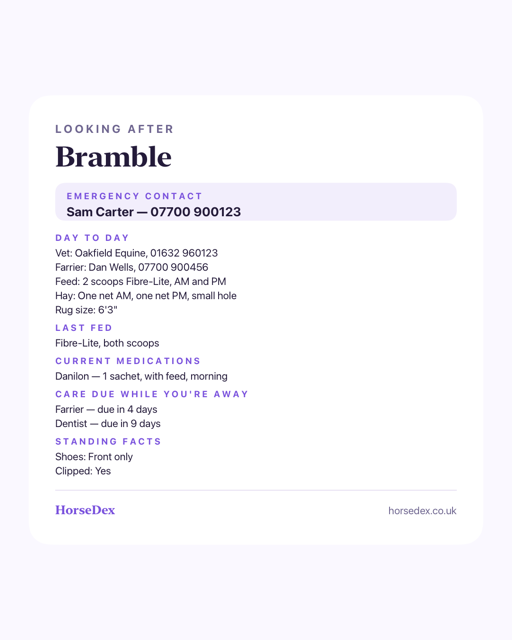
Away from home
-
New
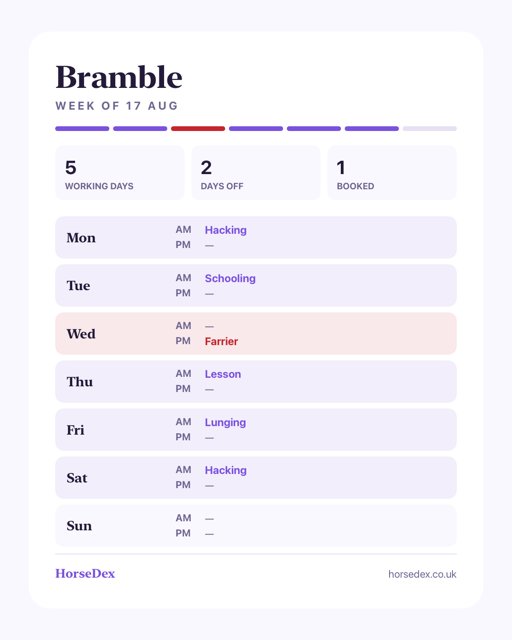
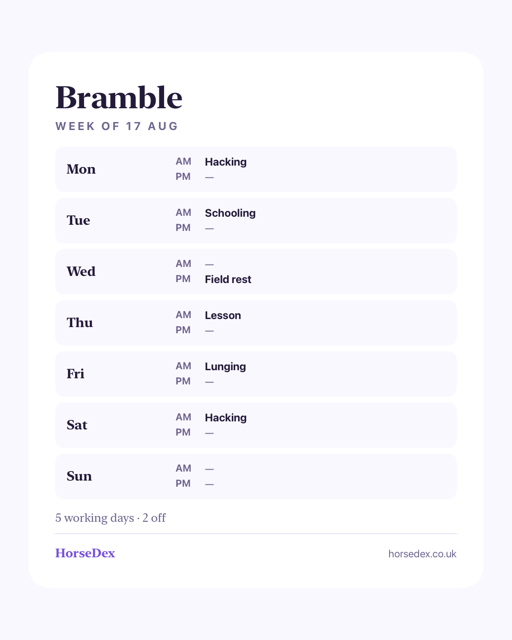
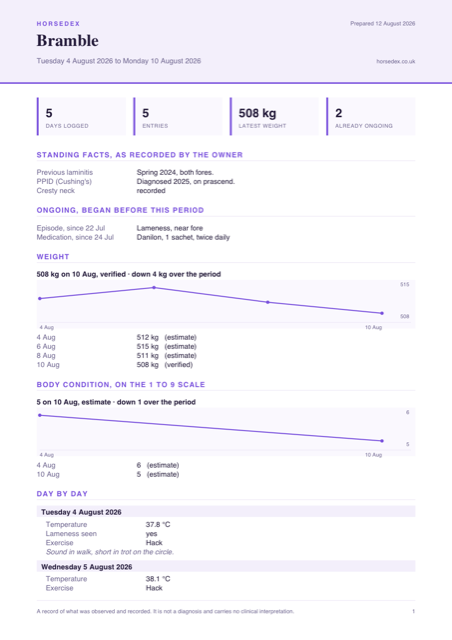
A holiday cover sheet for whoever's looking after your horse. Add an emergency contact, your vet and farrier, feed, hay, rug size and tack once on the horse's profile. Share it as a page or a picture whenever someone else is taking over, and it fills in from the journal too — current medications, anything due in the next fortnight, and the last "What was fed".
Land
-
New
A Land page for yard jobs, if you manage any. Harrowing, overseeding, the muck heap, topping, fertilising, fence checks, water troughs and ragwort, each with its own due date and ticked off the same way as Care. Turn it on with "Do you manage your land?" when you set up, or later in Settings → Your pages — it stays out of the way if you don't.
-
New
Paddock rotation, on the same page. Name your fields, then move horses between them or mark one resting. It shows where everything is now, not a history to scroll back through.
Logging and reports
-
New
Lessons and competitions keep their own results. Logging exercise now asks Exercise, Lesson or Competition, and a competition can carry a class, a placing and a score. They show on the day, on the vet report, and Trends has a new Competitions card listing every round — a record, never a score of its own.
-
Trends
Time and distance on the vet report and Trends. Each exercise line on the vet report now reads how long and how far, for example "Hacking · 60 min · 5.2 mi", and Trends totals both up for whatever period you're looking at.
Plan
-
New
A month view, beside the week. Switch between Week and Month at the top of Plan to see further ahead — bookings, exercise and care all due that day, at a glance. Each has its own switch in Settings → Your pages if you'd rather see only one.
Sharing
-
Fixed
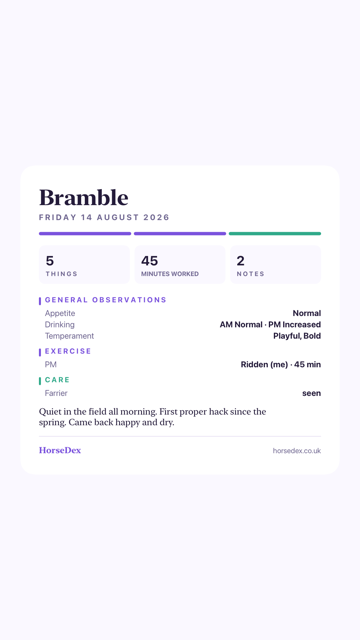
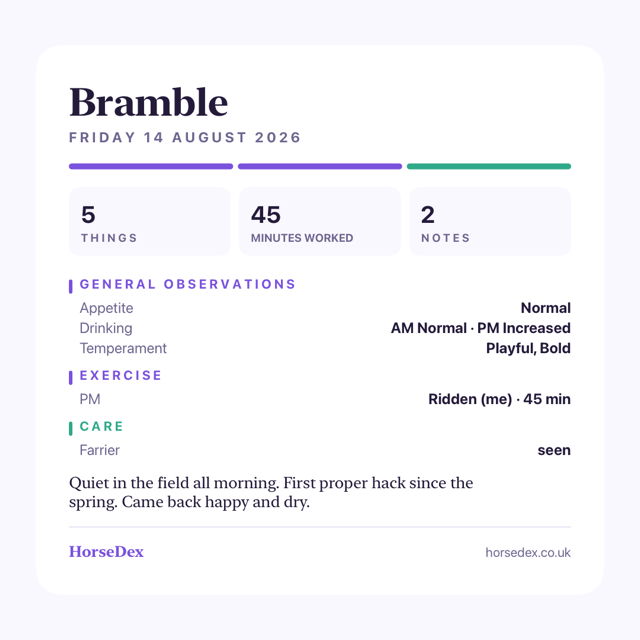
Sharing a day with a photo no longer cuts anything. A day with a photo used to share as one card, and the photo could quietly push rows off the bottom. It now shares as two images — the photo and the day's tiles, then the whole day underneath — so nothing goes missing.
The ⓘ, out of the way
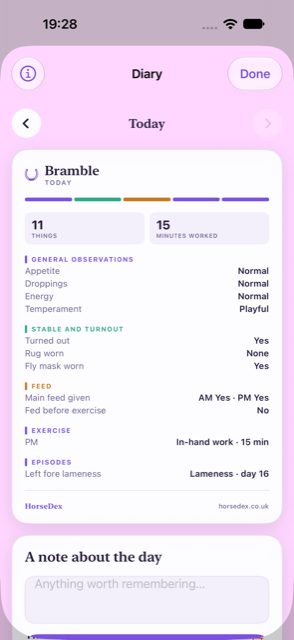
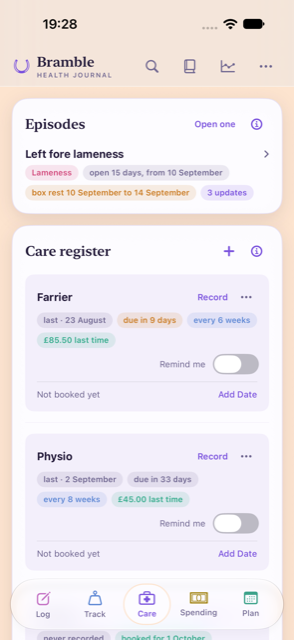
Two changes to the ⓘ, from tester feedback: on the diary it now sits in the header instead of taking a row of its own, and Care has one for the care register and one for episodes. Nothing you have recorded changes. iPhone 85, Mac 86 and Android 87.
-
Diary
The diary's ⓘ moved into the header. Once you have a few entries, it used to sit on a row of its own above the day and push everything down. It now sits at the top left, beside the title, and the day starts straight away.
-
Care
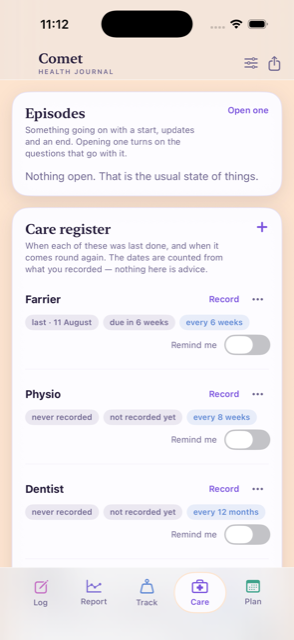
The care register has its own ⓘ. There was one ⓘ on Care, on the Episodes card, and the register's explanation stayed on screen. Now each card has its own, and once you have a few entries both explanations tuck away behind them.
A steadier start on Android
Two fixes for setting up on Android: restoring a backup no longer leaves you stuck on What's new, and the setup screens no longer redraw themselves constantly. iPhone 83 and Mac 84 carry the same change underneath, with nothing to see there. Nothing you have recorded changes. Android 82.
-
Android
Restoring a backup no longer leaves you stuck. If you restored a backup while setting up, the What's new page came up without its Next button, and the only way on was to close HorseDex and open it again. It now steps through to your restored journal.
-
Android
Setting up no longer drains the battery. While the setup cards and the What's new page were on screen, HorseDex redrew them many times a second although nothing on them was moving. They now sit still until you tap something, like every other page.
What's new, and fixes from a real phone
A page that shows owners what 1.5 changed, the ⓘ moved to where it takes no room, and fixes found by testing 1.5 on a real Android phone. Nothing you have recorded changes. iPhone 79, Mac 80 and Android 81.
-
New
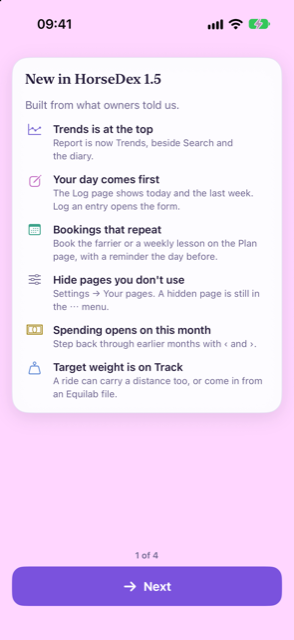
A What's new page, once. If you were already using HorseDex, the first time you open this version it shows what changed, a card at a time. If a reminder is off, or the Plan has never been set up, it asks, and it points at any page you have not tried yet. It never switches anything on for you, and you only see it once.
-
Tidier
The ⓘ no longer takes a row of its own. Once you have a few entries, each page's line shrinks to an ⓘ. It used to sit alone above the first card, pushing the page down; now it sits at the right of that card's title.
-
Reminders
Reminders use your horse's name as it is now. After renaming a horse or restoring a backup, a reminder could still use the old name until the app was next opened. They are updated straight away.
-
Search
Search understands a shortened name. Asking about Bramble as "Bram" found nothing, because the search only set aside a horse's full name. It now tries again without the short one.
-
Backups
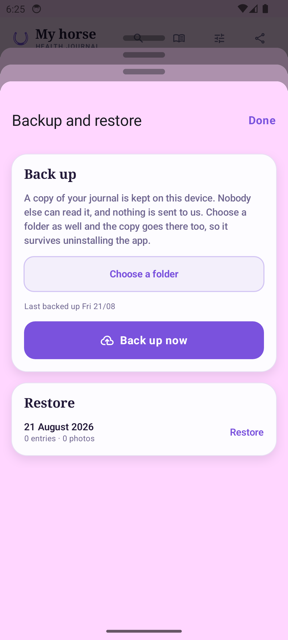
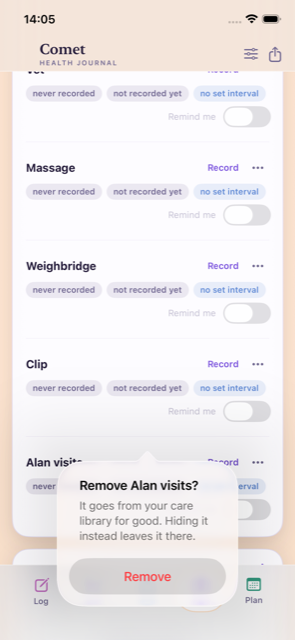
A new, empty journal is not backed up. Starting afresh after reinstalling used to back up the empty journal straight away, and the next reinstall then offered that instead of your real one. A journal is only backed up once there is something in it.
-
Plan
You can see what Add just booked. The confirmation used to appear under the Add button, where a long list of bookings pushed it off the screen. It now shows along the bottom of the sheet.
-
Fixed
Trends no longer closes if you switch a field off while it is open. A rare crash, reported through TestFlight. Your records were never affected.
-
Android
Each reminder alerts you once. After the app was reopened, a booking's reminder could be queued twice, so it buzzed twice. It is queued once now, however often you open the app, and still there after the phone restarts.
-
Android
Smaller things on Android. Menus line up and a section of hidden pages is separated from the rest; the Minutes box for exercise is no longer squeezed; the Plan tab's name lines up with the others; and reminders show the HorseDex horseshoe instead of a plain circle.
Built from your feedback
Everything from the latest round of tester feedback. Report is now Trends and sits at the top, Commitments are now Bookings, the Log page shows your day first, and you choose which pages sit on the bar. Nothing you have recorded changes. iPhone 76, Mac 77 and Android 78.
Finding your way
-
New name
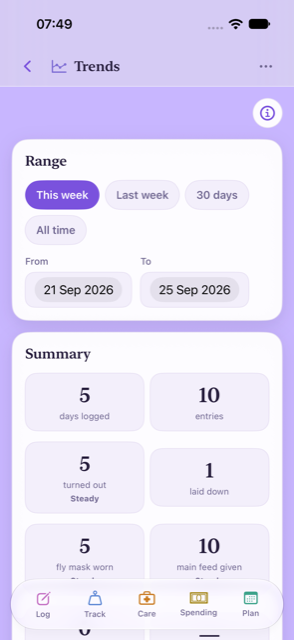
Report is now called Trends, and lives at the top. It sits beside search and the diary, the things you look back at. The bar along the bottom keeps the things you do, so it has five pages instead of six. Settings has moved into the ⋯ menu at the top.
-
New
Choose which pages sit on the bar. Settings → Your pages lets you hide a page you never use and put the rest in your own order. A hidden page moves into the ⋯ menu; nothing in it is deleted.
-
New
Every page says what it is for. A line under each page's title, with an ⓘ that opens a short "How this page works". Once you have a few entries the line shrinks to the ⓘ alone.
Logging
-
Log
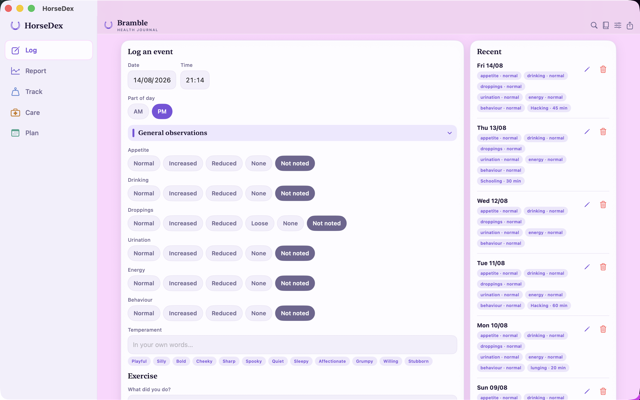
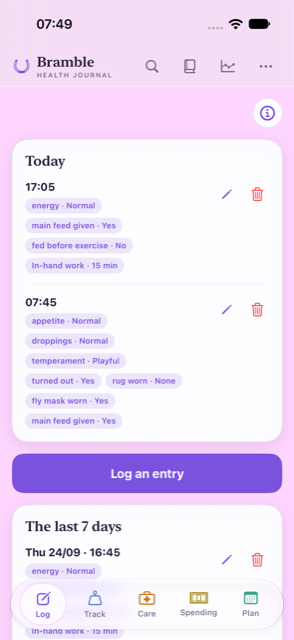
The Log page shows your day first. Today and the last seven days come first, with a large "Log an entry" button that opens the form. Entries used to sit below the whole form, three screens down.
-
Log
A shorter form. Date and time are one line, "Now · change". Exercise, extras and appointments are "+" buttons rather than yes/no questions, and a note field can fill in what you wrote last time.
-
Log
Catching up on missed days is quicker. Log an entry for an earlier day and the form stays on that day, with "Next day ›" to move on. After saving, "See it in the diary" takes you straight to the day.
-
Fixed
Search understands how you ask. A question like "when did Bramble last lay down" used to find nothing: the horse's name and "lay" against a field called "Laid down" both got in the way. Both are understood now.
Plan and bookings
-
Fixed
Commitments are now Bookings, and book only what you pick. The type used to start on Vet, so choosing a date and tapping Add booked a vet visit. It now starts empty, Add says exactly what it booked, and every booking coming up is listed with its date.
-
New
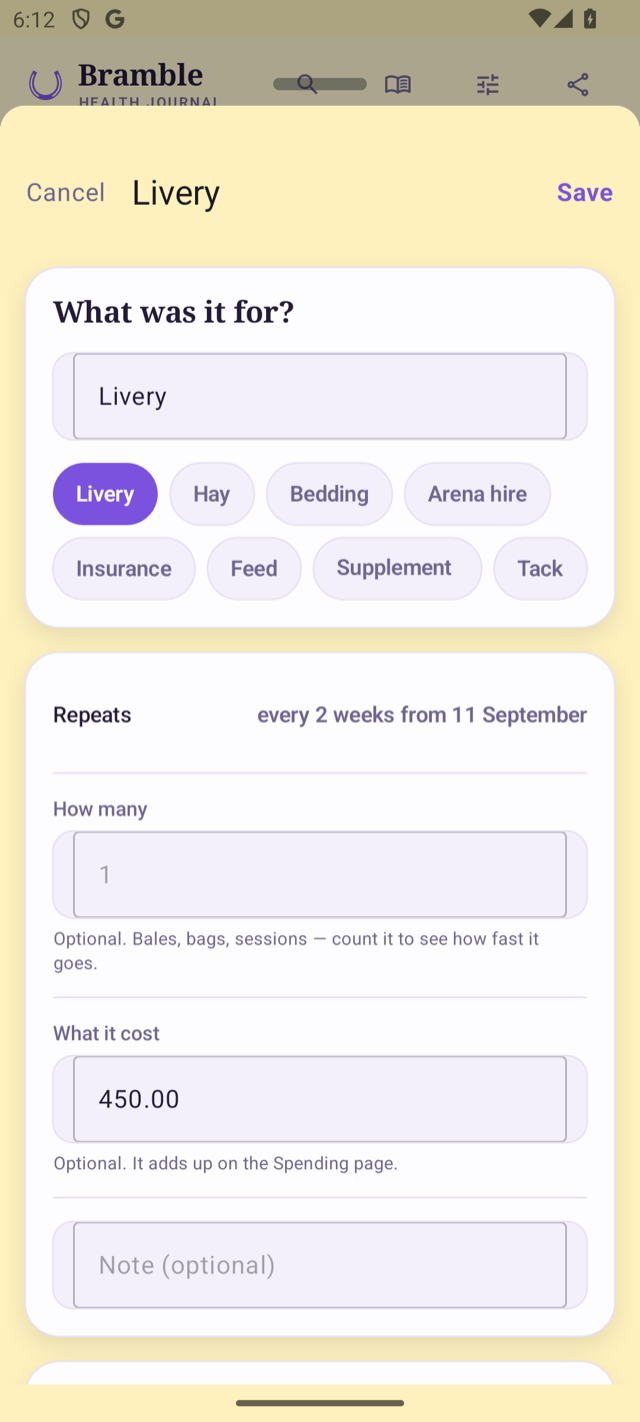
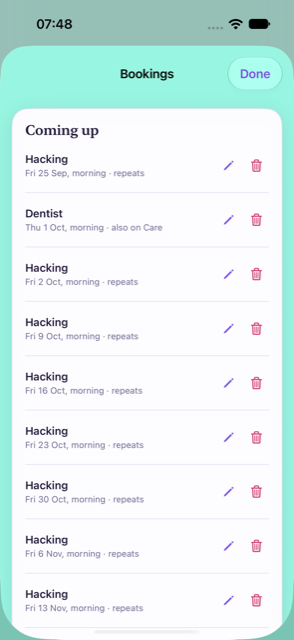
Bookings can repeat. A lesson every Tuesday afternoon, weekly or fortnightly, goes into each week by itself. Skip or move a single date for a holiday or an emergency without touching the rest.
-
Plan
Late bookings fill a free slot by themselves. A booking made after the week was planned drops into its slot when the slot is free, and only asks when it would replace a session.
-
Plan
Ticks for what you actually did. A planned session gets a tick once you log it. Quiet-day activities are marked as suggestions, so a filled week no longer looks like the app booking things.
Reminders
-
New
A reminder the day before anything booked. "Farrier tomorrow morning", at your usual reminder time, under each item's own Remind me switch. Lessons and other bookings on the Plan can have one too: switch it on in Settings → Reminders.
-
New
Reminders are offered when you start. The last step of setting up asks whether you would like the evening diary nudge and reminders when care is due.
-
New
"Plan next week?" on the day you choose. An optional weekly nudge, off unless you switch it on, on whichever day and time suit you.
Care and spending
-
Spending
Spending opens on this month and remembers. Step back through earlier months with the arrows. Your month can start on a payday: any date up to the 31st, the end of the month, or the last working day.
-
Spending
How fast the hay is going. Buying more used to make the rate jump. It now counts what you had used up by the time you bought more, and says roughly when you will run out. Tap it to see the workings.
-
Care
Costs where you already are. Ticking an appointment on the log lets you add what it cost there and then. Each care item shows what the last visit cost, and care lines on Spending open their visits.
Weight, exercise and tracking
-
Track
Your target weight is on Track. Set it where you record weights, and see the latest reading against it. Measurements you never use can be switched off; nothing already recorded goes.
-
New
Distance on a ride, and rides from Equilab. An exercise entry can carry a distance. Share a ride from Equilab as a GPX file and HorseDex adds it to that day's exercise.
-
Tidier
Tracking that fits you. What you track lists what is on first. Setting up offers "Just the basics", anything switched on for you can be switched straight off, and a group you have not used in two weeks asks once whether to keep asking.
-
Fixed
A target weight can no longer stop a page opening. A very large number typed as a target could stop the page from opening at all. Only a weight a horse could be is kept now.